Tattoo Styles Guide: Compare 7 Directions for Your Concept
Compare the seven tattoo style directions supported by AI Tattoo Design, with an original blackwork vs traditional test and artist handoff advice.
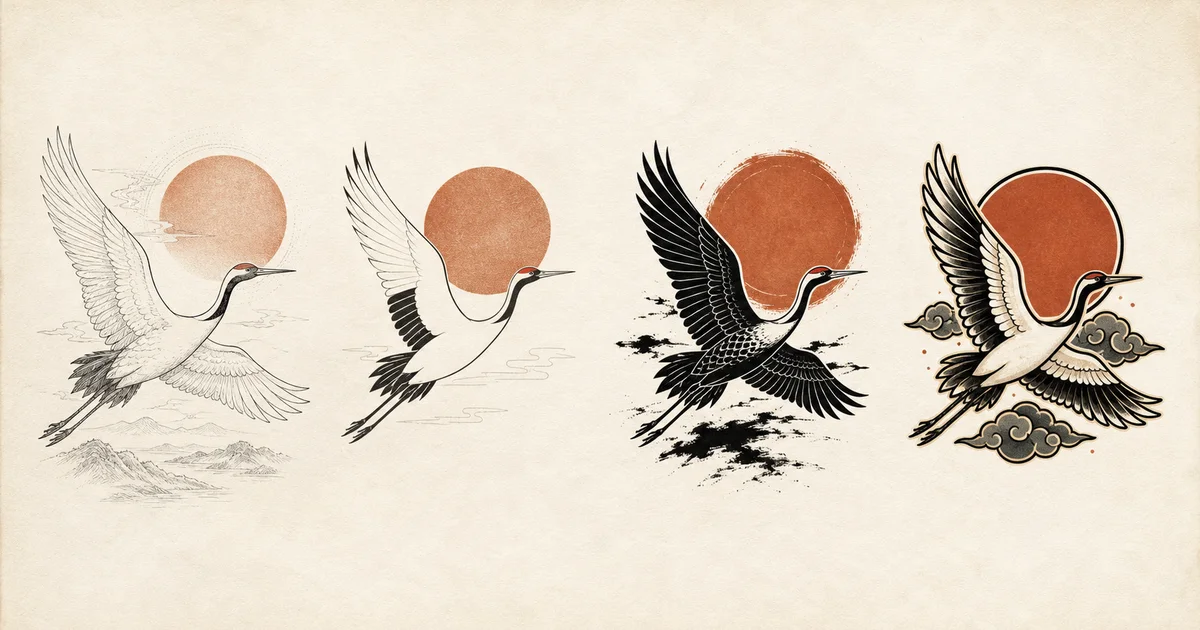
Tattoo style names are useful when they help two people discuss visible choices: line weight, shape, contrast, detail, color, and composition. They are less useful when treated as rigid boxes.
AI Tattoo Design currently offers seven style choices: Auto, Fine line, Minimalist, Blackwork, Traditional, Japanese, and Realism. This guide explains what those selectors ask the current generator to do. It is not a complete taxonomy of tattoo practice, and an AI label does not replace an artist’s training or portfolio.
The seven supported style directions
| Generator option | Direction sent to the model | Useful question to explore |
|---|---|---|
| Auto | Choose a style that supports the subject | What direction might fit before I narrow the idea? |
| Fine line | Delicate, confident linework | Can the subject read through lighter, line-led treatment? |
| Minimalist | Simple, intentional forms | What can be removed while the idea remains recognizable? |
| Blackwork | Bold black shapes | Can solid black and negative space carry the composition? |
| Traditional | Bold outlines and readable shapes | Would a compact, graphic treatment clarify the subject? |
| Japanese | Japanese-inspired composition and visual flow | Could the subject work within a more dynamic, connected composition? |
| Realism | Controlled, readable realistic illustration | Which lifelike features are essential to recognize the subject? |
These descriptions are product behavior, not universal definitions. Individual artists may use the same term differently, combine approaches, or decline a project outside their practice.
Fine line vs minimalist
Fine line describes a line-led visual treatment. Minimalist describes how much visual information remains. They can overlap, but they are not synonyms.
For example, a fine-line moth can still contain wing texture, small botanical elements, and shading. A minimalist moth may use only the outer wing shape and one internal mark. It could use thin or heavier lines.
Choose Fine line when line quality is the main direction you want to see. Choose Minimalist when reduction is the main test. For a small idea, also select Small so the prompt asks the model to limit fine detail.
Neither selector proves that the result will work at the final physical size. Ask your tattoo artist to decide spacing, line weight, and what must be simplified.
Blackwork vs black and grey
Blackwork is a style selector. Black and grey is a color selector.
- Blackwork + Black and grey asks for bold black shapes while preventing a full-color palette.
- Fine line + Black and grey keeps the same color family but asks for a more delicate, line-led direction.
- Traditional + Color changes both structure and palette.
Separating these controls lets you compare one variable at a time. If you want to understand the effect of style, hold the concept, placement, size, and color fixed.
Traditional as a broad generator direction
The Traditional option currently asks for bold outlines and readable shapes. It is useful for testing a compact, graphic treatment, but it does not certify an output as historically complete “American traditional.”
Tattoo flash and equipment are part of a documented U.S. tattoo history. The Smithsonian’s Lyle Tuttle collection includes thousands of examples of flash art and industry ephemera. That history is much broader than a single AI selector, so this article does not reduce it to a fixed list of motifs. Explore the Smithsonian collection story.
Use the selector to compare visible structure. Use an artist’s portfolio to decide whether their actual approach fits the project. If you are choosing between pre-drawn work and a new brief, first review how artist flash, custom work, and a private concept differ.
Japanese-inspired is not a complete tradition
The Japanese option asks the model for intentional visual flow. It can be a starting direction for a connected composition, but “Japanese-inspired” does not make an image equivalent to traditional Japanese tattooing.
Japanese visual history also cannot be summarized as “waves, dragons, and flowers.” For one relevant background, museum sources document ukiyo-e as widely circulated Edo-period woodblock prints created through collaboration among designers, carvers, printers, and publishers. The Metropolitan Museum of Art and the Victoria and Albert Museum provide useful introductions.
That context matters because a visual influence is not a permission to assign one universal meaning to a symbol. If your concept draws on a specific cultural image, research that image and discuss it with a knowledgeable artist rather than asking AI to improvise significance. The late Edo bodysuit history adds the relevant print, terminology, and legal context, while the evidence-ranked history of early tattooing explains why one region’s surviving record is not a universal origin story.
Realism is a detail direction, not a photo guarantee
The Realism selector asks for recognizable, controlled illustration detail. It does not make the result a photograph, guarantee likeness, or decide how much detail can be translated at a particular size.
Use it to identify the features that make the subject recognizable. For an animal, that may be head angle, eye placement, markings, or silhouette. Then ask an artist experienced in the relevant approach to decide scale, value structure, and execution.
Do not use a real person’s face, a protected character, or another artist’s finished work without considering the relevant permissions and rights.
Original test: blackwork vs traditional
We generated two project-owned concepts on July 28, 2026. Both used the same subject, Upper arm/shoulder placement, Medium size, and Black and grey color. Only Style changed.
The shared concept was:
A crane flying through a circular sun with two wind-swept leaves. No letters or extra symbols.
Blackwork result
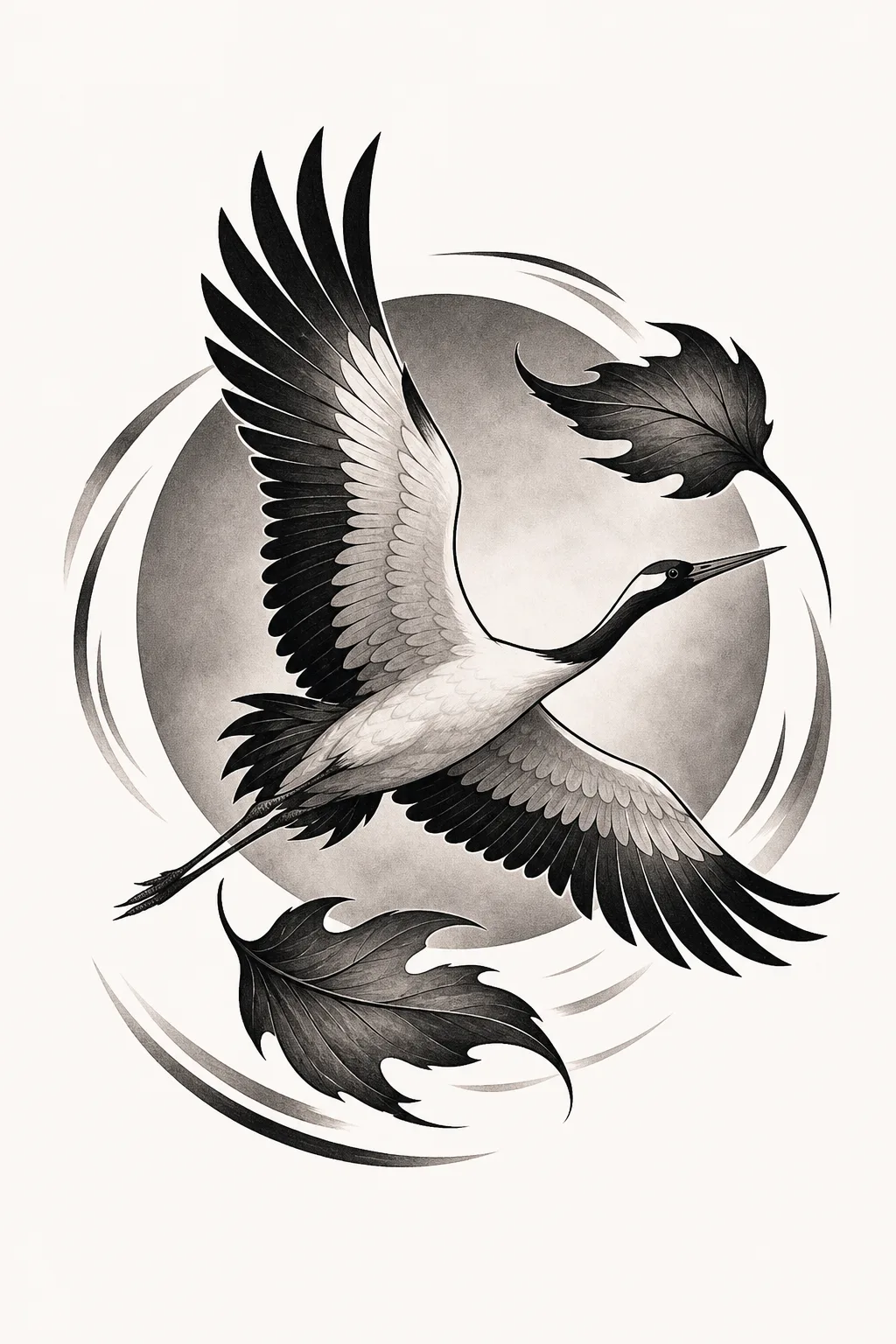
AI-generated concept S3. Strong black shapes and high contrast carry the circular motion. The model also added extra leaf forms.
Traditional result
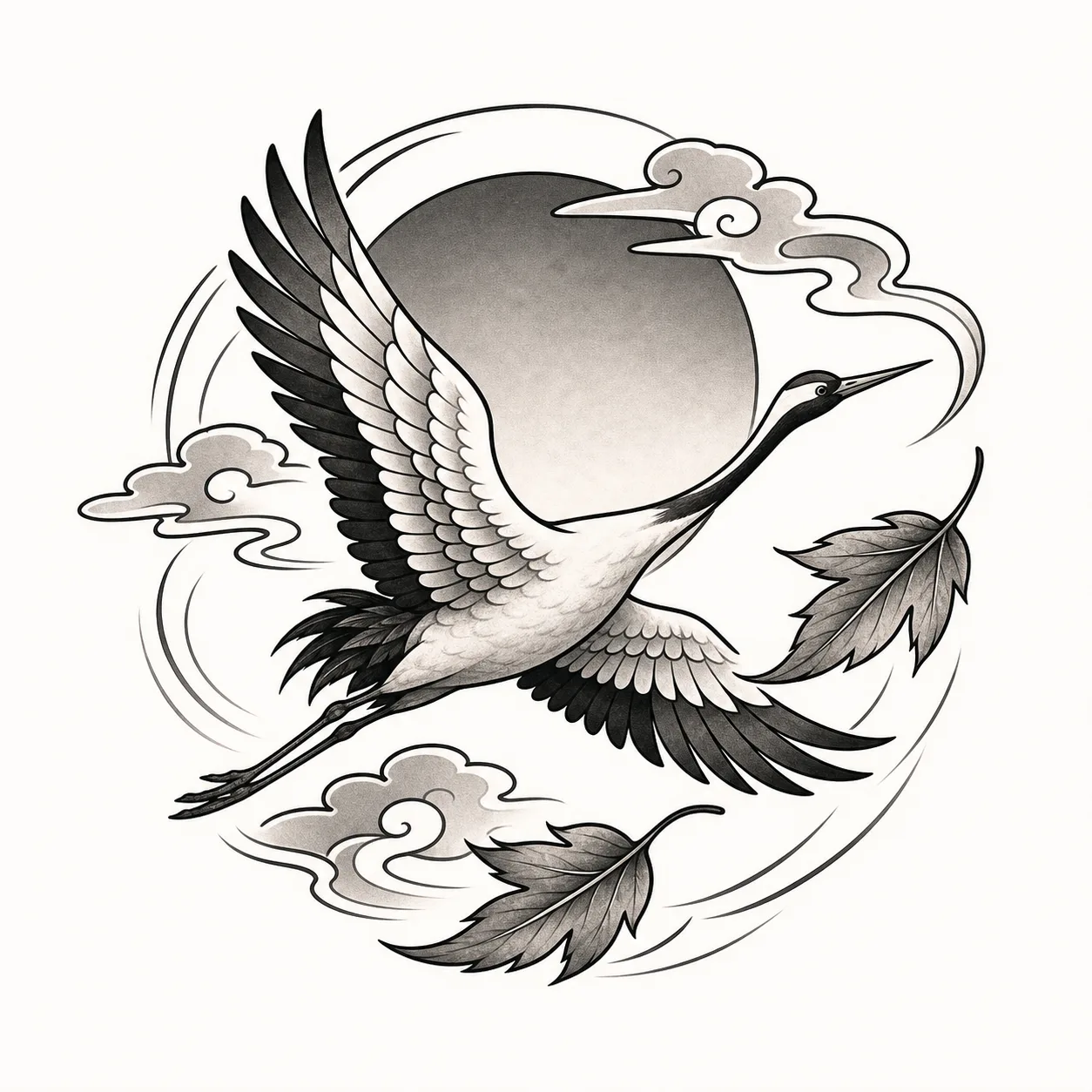
AI-generated concept S4. Heavier outlines, more open white areas, and graphic cloud forms make the composition feel more compact.
The comparison shows a useful direction change, not a universal rule. The outputs overlap, and both add details beyond the concept. A style selector cannot guarantee a clean category or remove the need for editing.
How to choose a style without chasing labels
Use this sequence:
- Name the subject and meaning. A style cannot rescue an unclear subject.
- Choose two visual traits. Examples: open negative space, bold outline, delicate line, limited detail, strong black shape, or lifelike features.
- Select one style to test. Keep placement, size, and color fixed.
- Review what changed. Look at silhouette, line treatment, detail, background, and invented elements.
- Compare one second direction. Do not regenerate everything at once.
- Find an artist through relevant work. The artist’s actual portfolio is more informative than a broad label.
If the subject is still vague, start with the five-part AI tattoo prompt framework. If the composition changes more than the style, check the placement and size guide.
Questions to bring to your artist
- Which parts of this concept fit your own approach?
- Which added details should be removed?
- Does the subject need a different shape for the body area?
- What size gives you enough room for the important features?
- Which line, black, grey, or color decisions should change?
- Can you redraw this as an original design rather than reproduce the AI image?
Put the answers into the tattoo artist brief template.
AI Tattoo Design returns one private concept for each successful generation. That generation uses 1 credit; a generation-flow failure automatically returns it, and credits never expire. Commercial use is supported, but third-party subjects and existing artwork still require your own rights review.
Ready to compare one direction without changing the rest of your idea? Test a supported tattoo style with the AI tattoo generator, then let a tattoo artist make the final anatomical and technical decisions.