How to Create a Tattoo Artist Brief from an AI Concept
Turn an AI tattoo concept into a concise artist brief with a copy-ready template, a worked lighthouse example, and clear technical boundaries.
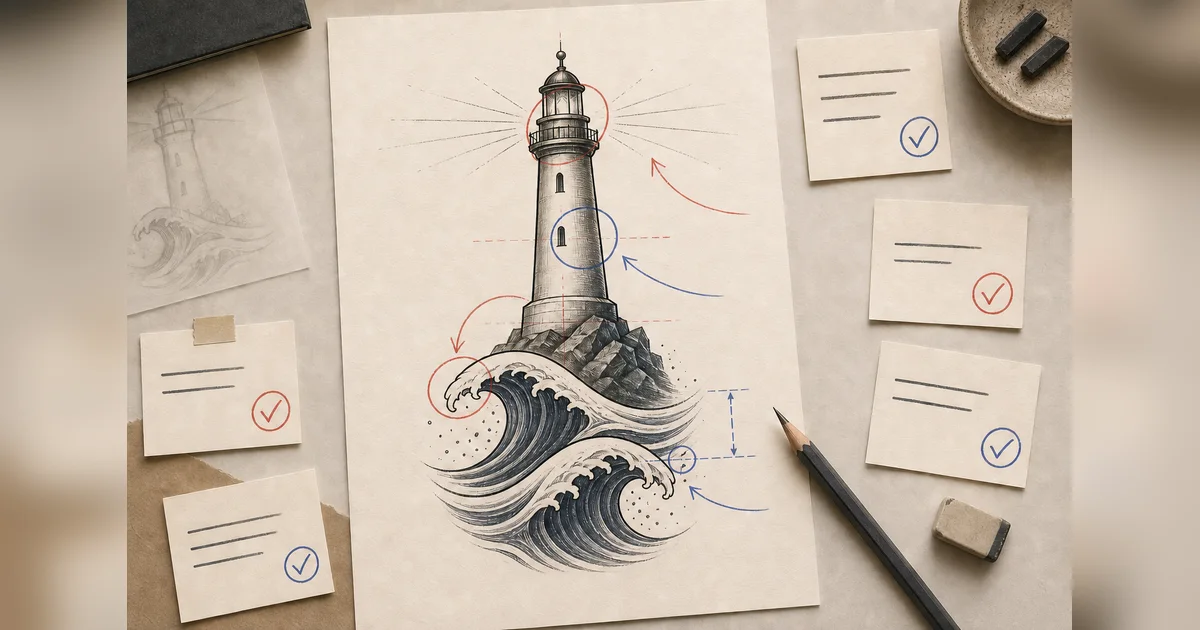
A tattoo artist brief is not a finished design specification. It is a compact way to explain what matters, what can change, and what you need the artist to solve.
An AI-generated concept can make a visual direction easier to discuss. It cannot decide anatomy, final scale, line weight, technical execution, or the stencil. The most useful handoff combines the image with a short written brief instead of asking an artist to copy it.
Before writing: follow the artist’s booking instructions
Artists and studios do not all use the same channel or process. Some ask for a form, some use email, and some open books only at certain times.
Check:
- the artist’s current portfolio;
- whether the artist works in the direction you want;
- the preferred contact channel;
- the fields and file formats requested;
- whether consultations are available;
- the studio’s own booking and deposit terms.
For example, one public bilingual consultation form asks for preferred style, placement, estimated size, a description, and reference files. See KOON.INK’s consultation form. Another studio publishes its own subject-line and email instructions. See Stick Tattoo’s communication steps.
These are examples, not universal rules. The specific artist’s instructions come first.
If a studio asks what budget range you are considering, use its own current policy rather than a generic online average. The tattoo pricing terms and quote checklist explains minimums, hourly and session rates, deposits, and the details an artist needs before giving a real quote.
The seven fields in a useful tattoo brief
1. Project in one sentence
Lead with the main subject and goal:
A medium, vertical lighthouse concept for my calf, representing steadiness during change.
This gives the reader a map before the details.
2. Meaning and must-keep elements
Separate meaning from visible requirements:
Meaning: steadiness during change
Must keep: one lighthouse, two calm waves, open light around the lantern
An artist can redesign the composition while protecting what matters.
3. What may change
Make collaboration explicit:
Open to changing: beam shape, tower proportions, wave rhythm, background,
line weight, and the number of small details
This is especially important with an AI image. The image model may introduce objects or decorative choices you never requested.
4. Style direction
Use a broad visual direction and describe the trait you value:
Traditional direction because I like the bold outline and clear shapes.
I am open to your own interpretation.
Do not ask the artist to reproduce another living artist’s distinctive style. The tattoo styles guide can help you replace a name with visible properties such as line, black shape, negative space, or detail.
5. Placement and orientation
Name the body area and the visual direction:
Outer calf; vertical; lighthouse upright, with the waves below it
AI Tattoo Design uses placement only to guide composition. It does not inspect your body or create a skin preview.
6. Approximate measured size
Give a range measured on the real area:
Approximately 12–16 cm tall; width is open to your recommendation
Small, Medium, and Large in the generator are planning categories, not physical units. The placement and size guide explains how to move from a category to an artist discussion.
7. Color direction and open questions
State the direction without prescribing execution:
Limited red, blue, and warm yellow; open to black and grey if it suits the
final design better.

Questions:
- Does this amount of detail fit the measured space?
- Which shapes need to change for the calf?
- What should be simplified before a final stencil?
How to label an AI concept
Use direct language:
This is an AI-generated concept reference. It shows the subject and general direction I want, but it is not a finished design, body preview, or stencil. I would like you to redraw and adapt it to your work and the placement.
That sentence avoids two common problems: presenting the image as technically finished and leaving the artist unsure whether they are allowed to change it.
A studio guide from Hon Tattoo makes a related point: clients do not need to speak like designers, and a consultation can start from meaning, feeling, placement, and important elements. The artist contributes visual and technical judgment. Read the studio’s communication guide.
Worked example: lighthouse concept to artist brief
We generated this project-owned concept on July 28, 2026 with:
- Concept: a protective lighthouse above two calm waves, open space around the light, no text
- Style: Traditional
- Placement: Calf
- Size: Medium
- Color: Color
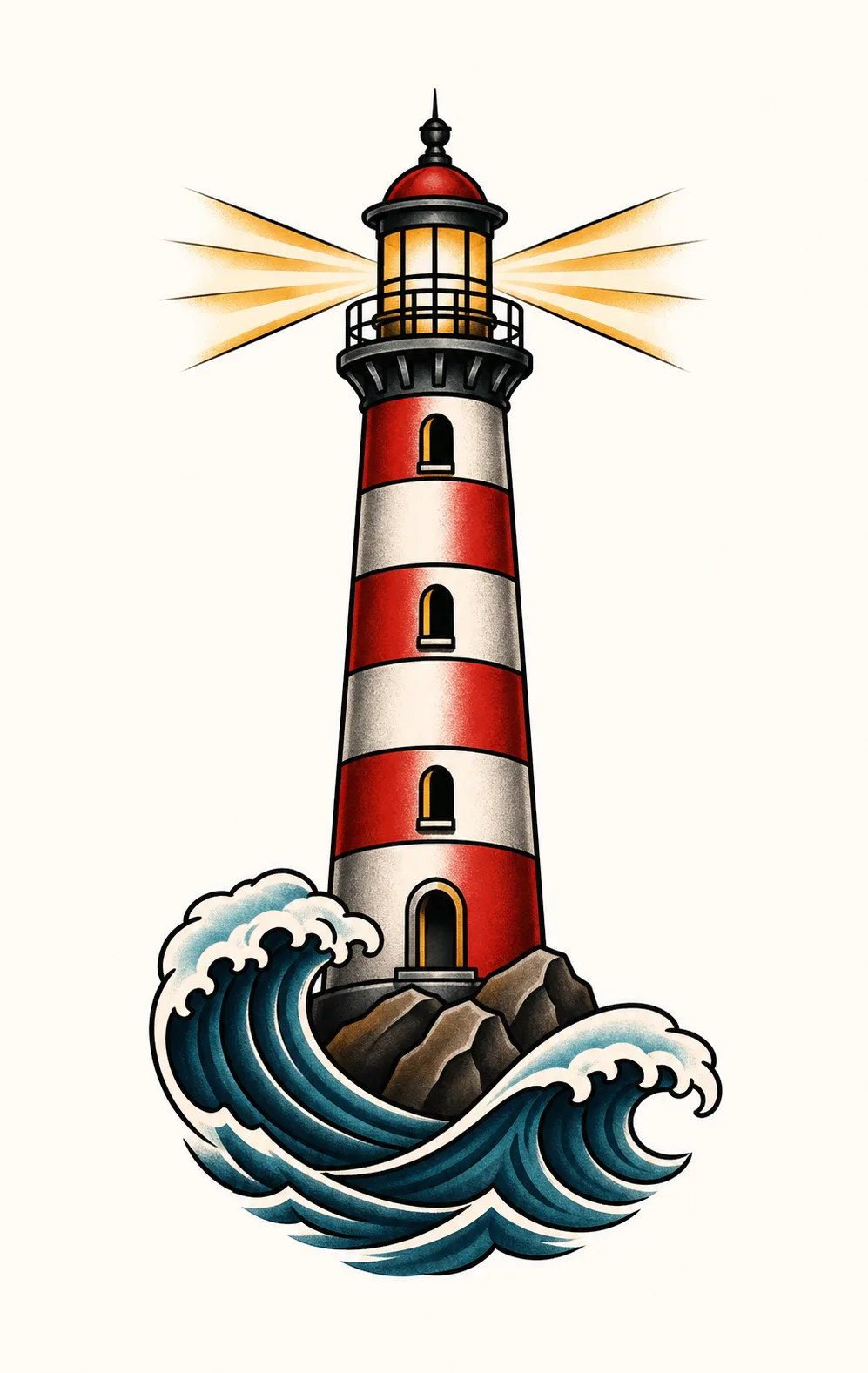
AI-generated concept B1. It communicates the lighthouse, waves, and limited palette. It does not answer final proportions, line weight, measured size, or calf fit.
Here is the image translated into a brief:
Project
A vertical lighthouse concept for my outer calf, representing steadiness
during change.

Meaning and subject
One lighthouse above two calm waves. The light should feel protective rather
than dramatic.

Must keep
- One lighthouse
- Two main wave shapes
- Open space around the lantern
- No words or dates

Open to changing
- Lighthouse proportions and perspective
- Light-beam shape
- Wave rhythm and background
- Line weight and amount of detail

Style direction
Traditional-inspired graphic direction. I like the bold outline and readable
shapes, but I want your own interpretation rather than a copy of this image.

Placement and orientation
Outer calf, vertical, lighthouse upright.

Approximate measured size
[Add your measured height × width range here.]

Color
I like the limited red, blue, and warm yellow in the reference. I am open to
your recommendation.

Concept reference
This is an AI-generated visual direction, not a finished tattoo design, skin
preview, or stencil.

Questions
- Which parts need to change for the calf?
- Is the measured area enough for the windows and wave separation?
- What would you simplify in the final design?
The image alone cannot communicate the bracketed measurement, flexibility, or questions. That is why the text matters.
Copy-ready tattoo artist brief template
Hello [artist name],

I found your work through [source], and I especially like [specific, relevant
quality in their portfolio]. I checked your booking instructions and would
like to ask whether this project fits your practice.

Project
[One-sentence subject, placement, and goal]

Meaning and subject
[What it means and the main visible subject]

Must keep
- [...]
- [...]

Open to changing
- [...]
- [...]

Style direction
[Broad style + the visible trait you value]

Placement and orientation
[Body area + direction/facing]

Approximate measured size
[Width × height range, with units]

Color direction
[Auto / black and grey / color preference, plus any must-keep relationship]

Concept reference
I have attached an AI-generated concept reference. It shows the direction I
want, but it is not a finished design, body preview, or stencil. I expect it to
be redrawn and adapted.

What I like in the concept
- [...]

What I want changed
- [...]

Questions
- [...]
- [...]

Thank you for considering it. I am happy to follow your consultation and
booking process.
Shorten the template if the artist requests a form or brief message. Do not override their instructions with this format.
What not to put in the brief
Avoid:
- “Copy this exactly.”
- “Make it tattoo-ready without changing anything.”
- a folder of references with no explanation of what you like;
- another artist’s complete tattoo presented as a design to reproduce;
- an artist-name prompt asking for imitation;
- promises that the AI output is absolutely original or rights-cleared;
- medical, healing, or skin assumptions generated by AI.
AI Tattoo Design supports commercial use, but that permission does not guarantee that every subject, character, logo, face, or generated element is free of third-party rights. The U.S. Copyright Office also states that prompts alone generally do not provide enough human control to establish copyright in purely AI-generated material. Rights depend on the work and jurisdiction; this is not legal advice. Read the Copyright Office summary.
Create the concept, then write the brief
If the visual direction is still unclear, start with the five-part AI tattoo prompt guide.
AI Tattoo Design creates one private concept for each successful generation. That generation uses 1 credit; a generation-flow failure automatically returns it, and credits never expire.
Create a private concept for your artist. Keep the image as a starting point, put your decisions into words, and leave the final anatomical and technical judgment with the tattoo artist.